

Cherry Studio - Desktop AI Client
Cherry Studio Tutorial — Connecting the desktop AI client to Lamafa, one-click API Key entry. Built-in 30+ professional AI assistants, covering various work scenarios.
{ "Cherry Studio": "cherrystudio://providers/api-keys?v=1&data={cherryConfig}" }- Official Website: https://cherry-ai.com
- Download Link: https://cherry-ai.com/download
- Official Documentation: https://docs.cherry-ai.com
Lamafa Integration Method
Parameter Configuration
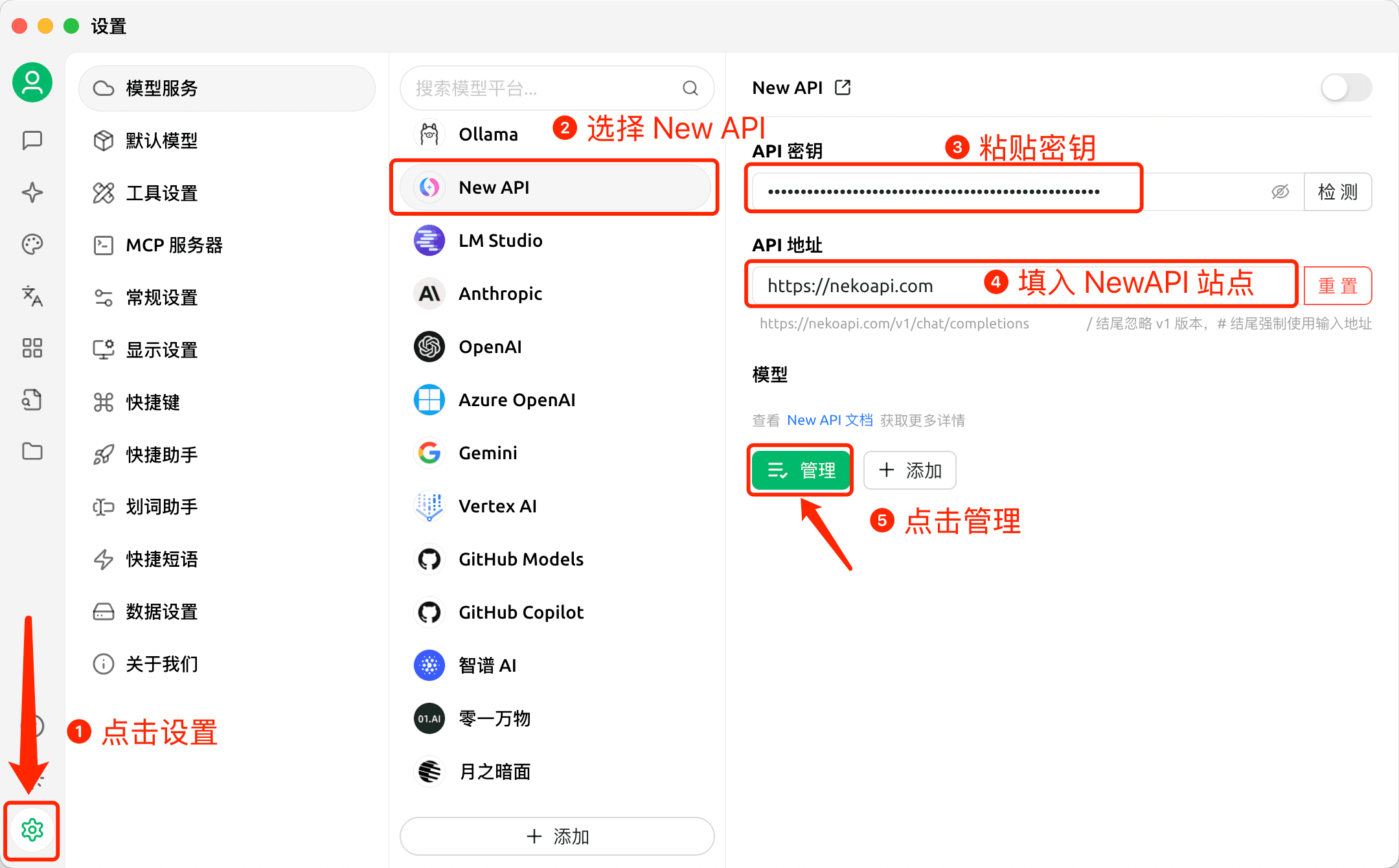
Provider Type: Types supported by Lamafa API Key: Obtained from Lamafa API Address: Lamafa Site Address
Please use your self-deployed Lamafa, or ensure that the service provider has a Lamafa service with legal upstream authorization and compliance obligations. Do not integrate API addresses or keys from unknown sources into a production environment.
Graphical Guide
-
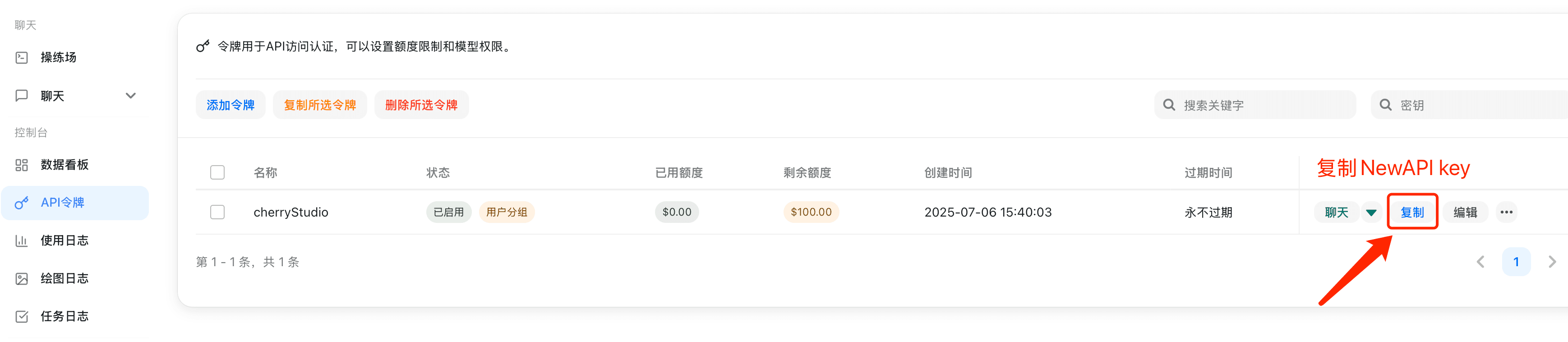
Copy API key in Lamafa
-
Add Provider
-
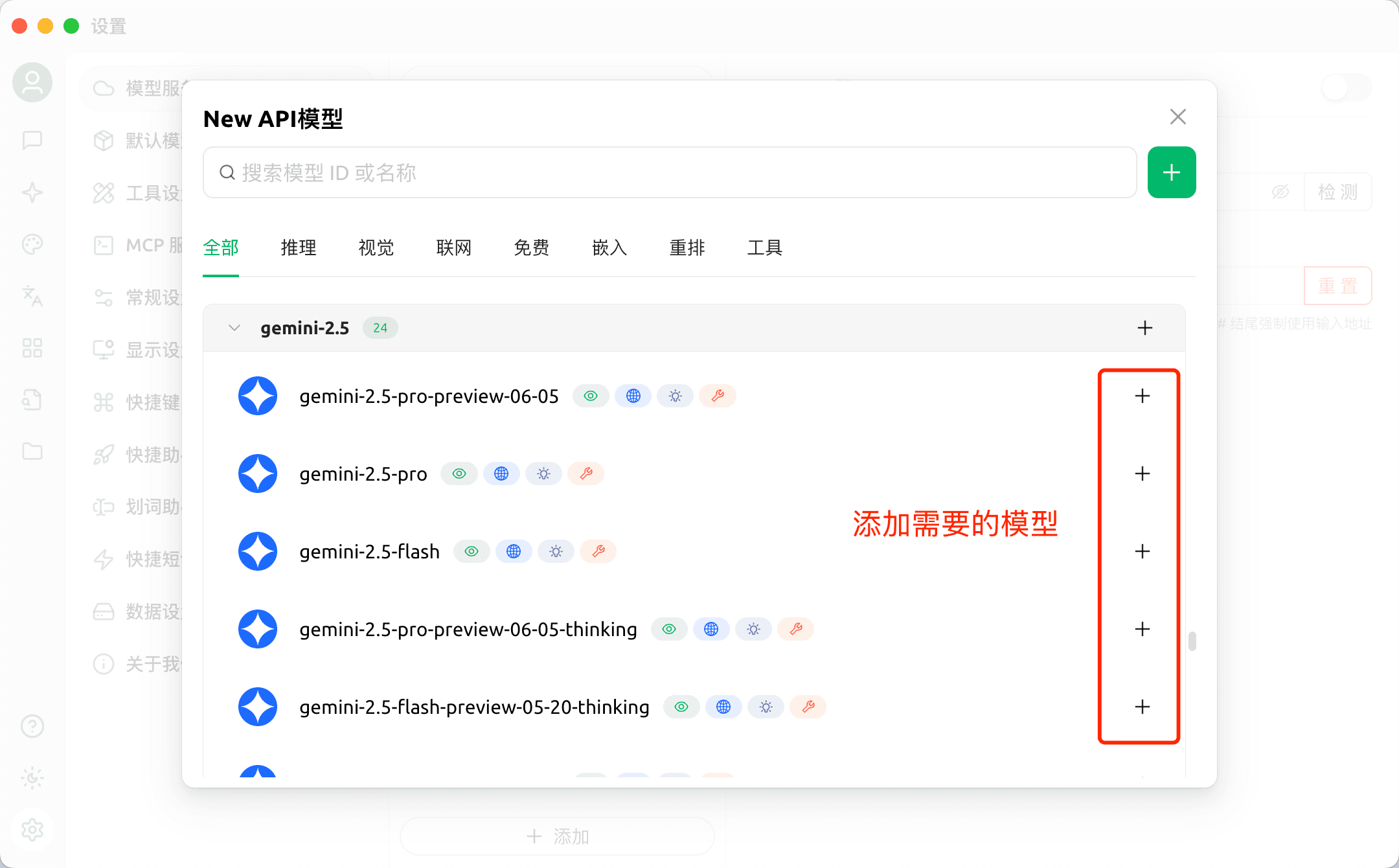
Add Model
-
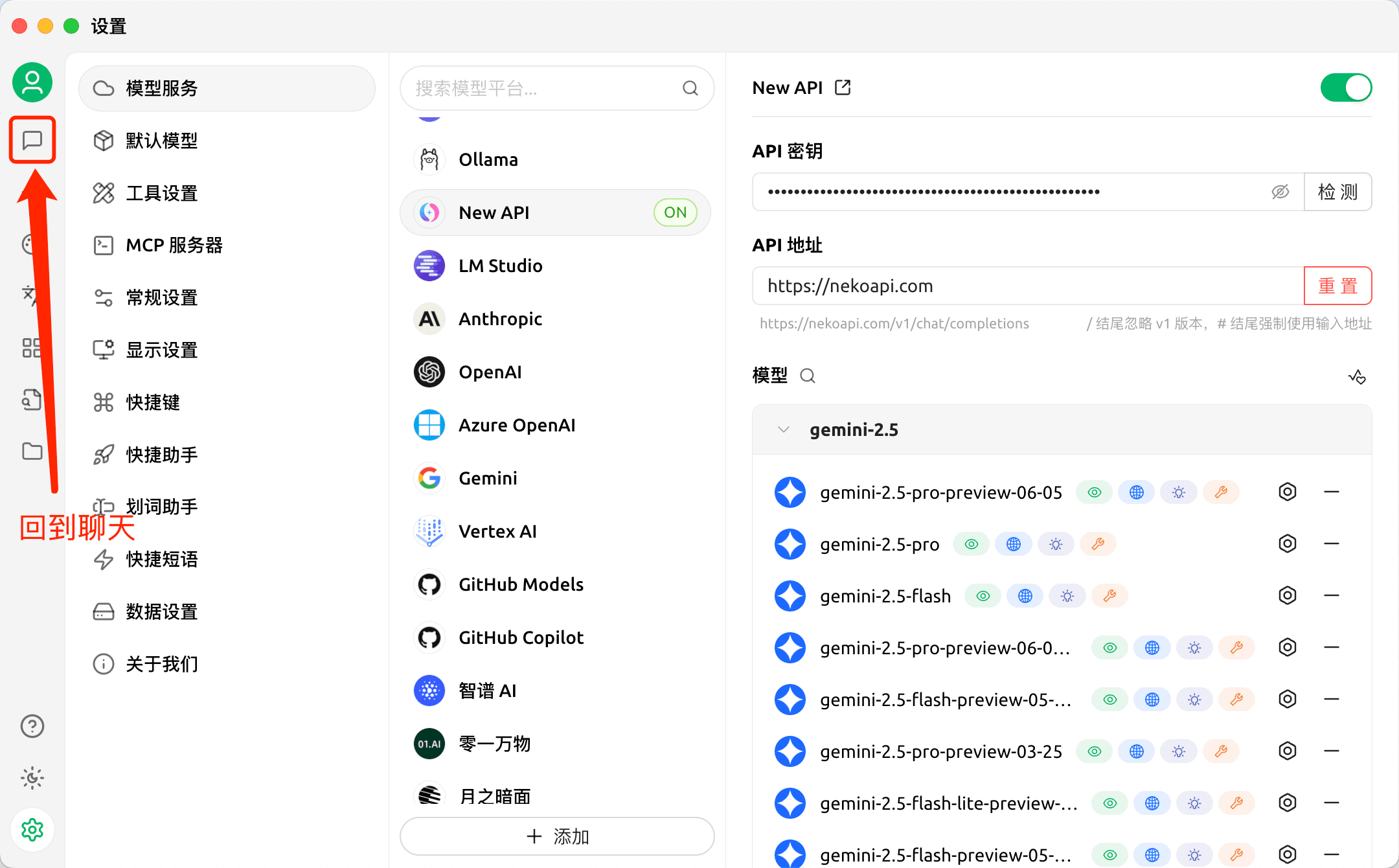
Return to Chat Page
-
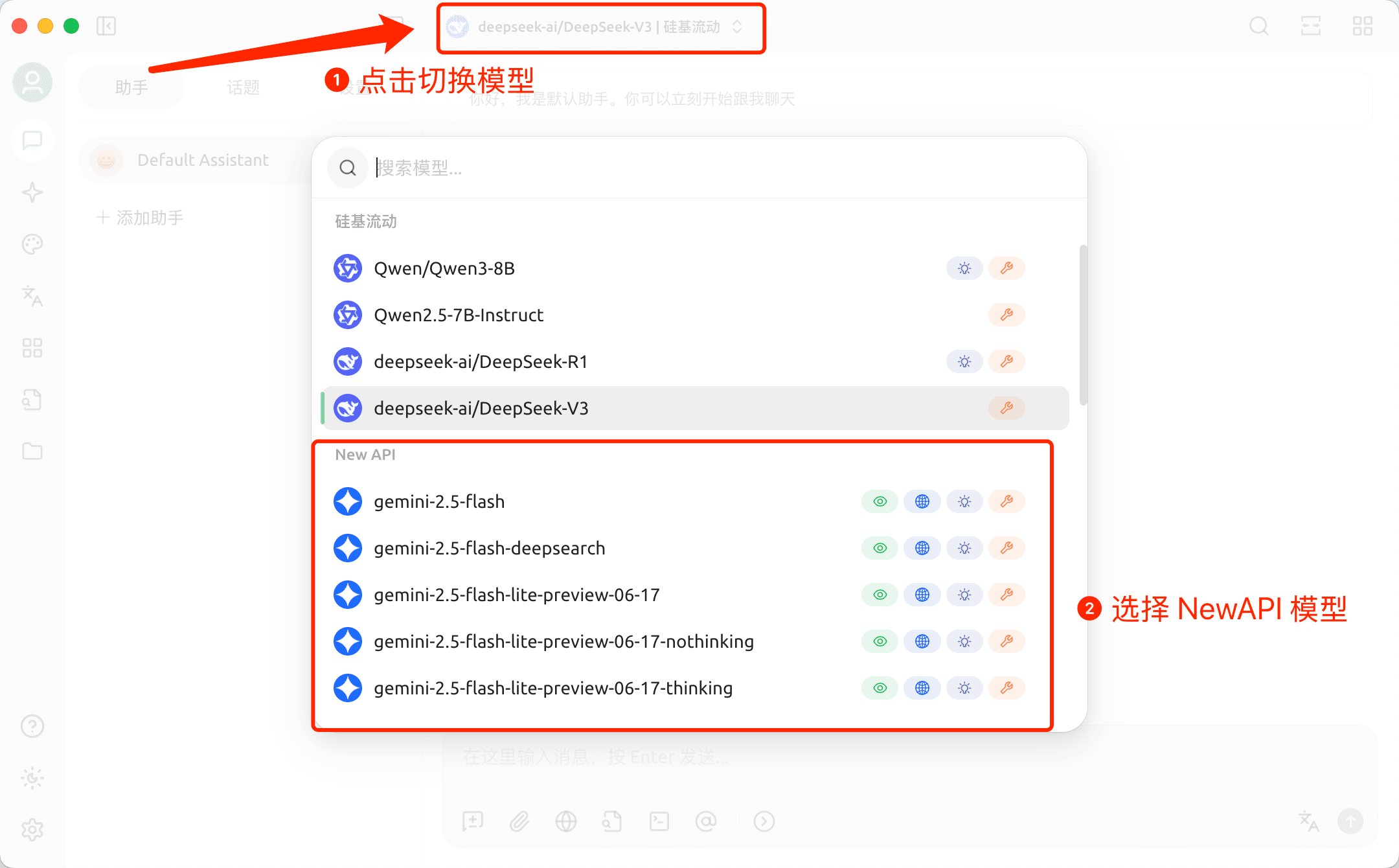
Switch Lamafa Model
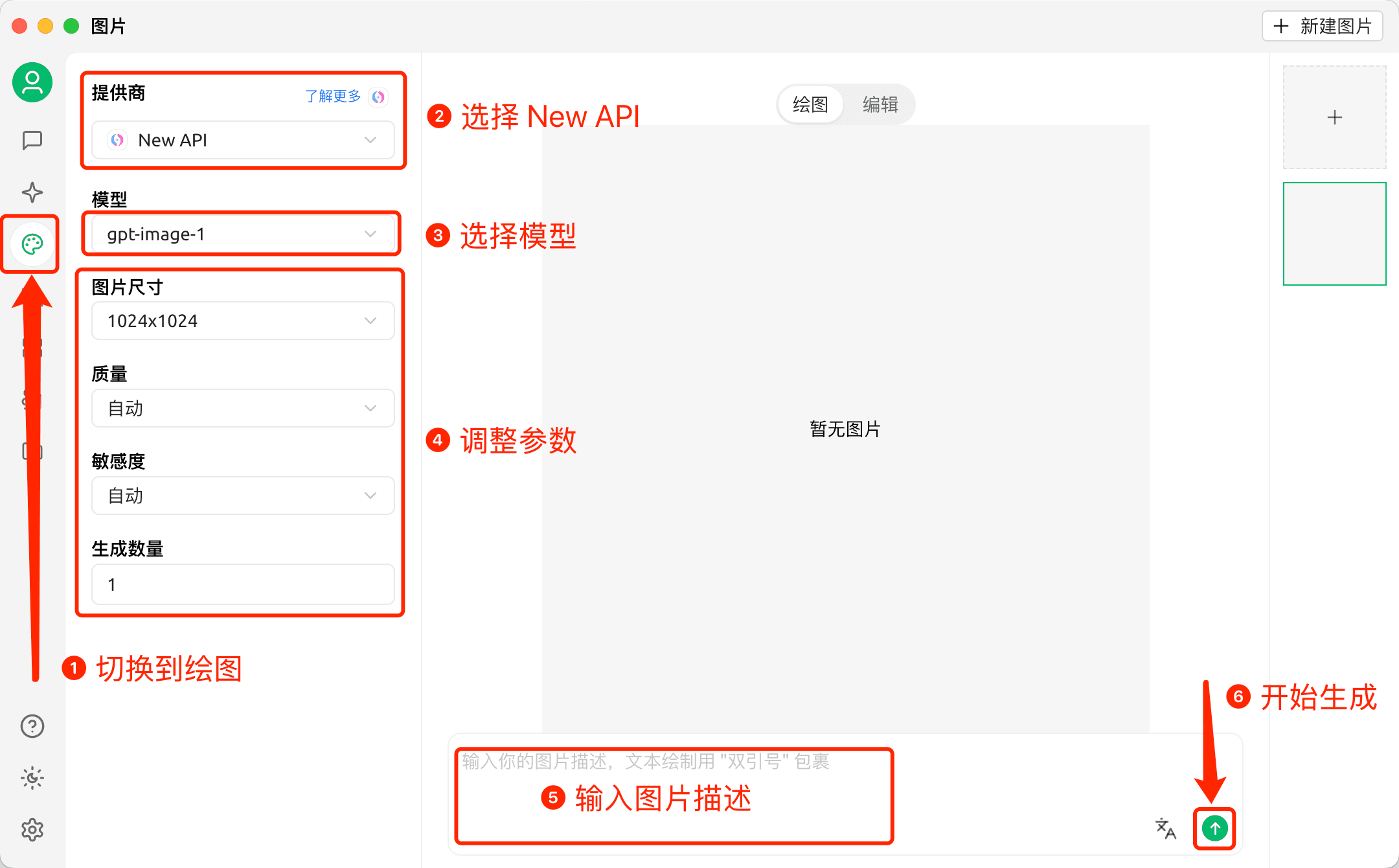
Drawing in Cherry Studio
-
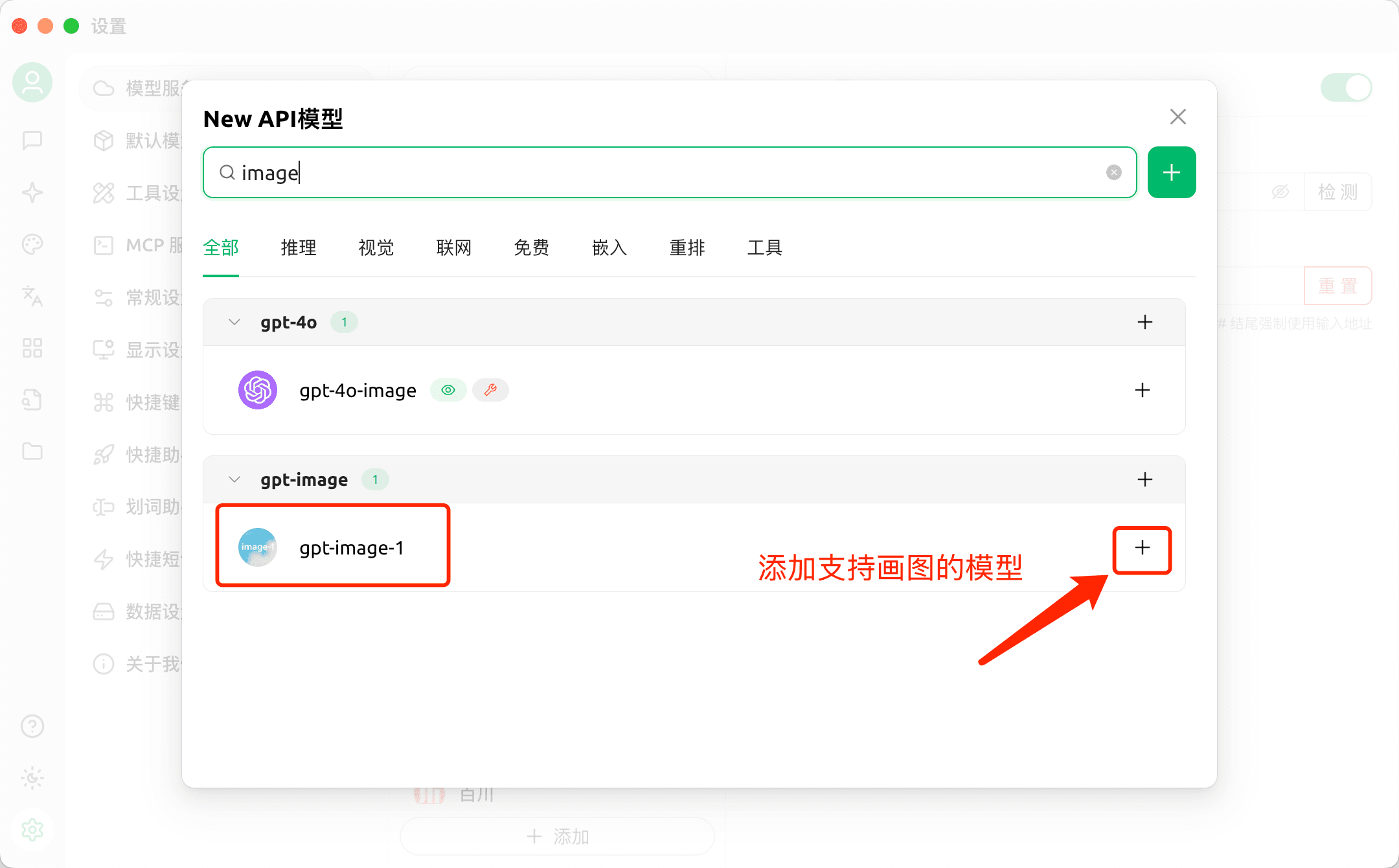
First, add models that support drawing
-
Draw
How is this guide?